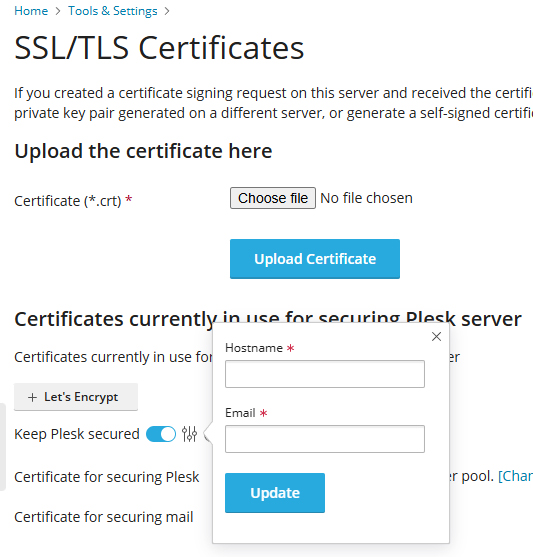
One solution to resolving the Plesk admin error email message with the subject line above and contains the text: “Error validating contact(s) :: contact email has invalid domain: Domain name does not end with a valid public suffix (TLD) “
- Go to Plesk > Tools & Settings
- Select SSL/TLS Certificates
- Scroll down to Keep Plesk Secured
- Click on the slider control icon and make sure the email address specified in the box isn’t local to the machine, then click update.